Session-to-session context
Track patient progress across sessions.
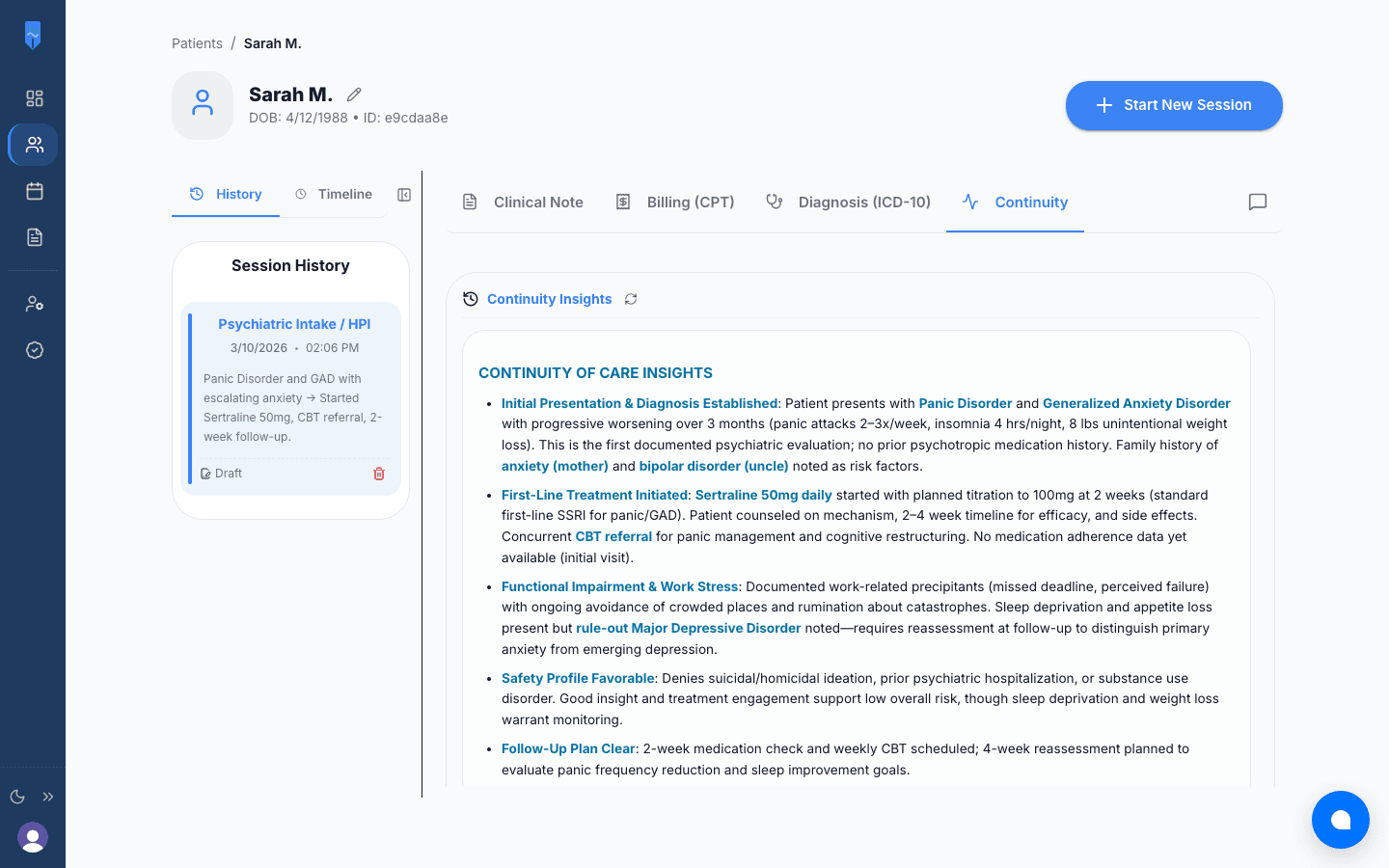
After each note, Continuity AI compares the session with the ones before it. Medication starts, dose changes, and stops. New or rising risk factors. Whether symptoms are moving in the right direction. All drawn from what your notes document.
Free to start, no credit card • Pro is $49/month
HOW IT WORKS
What it does after each note
Write your notes
Record, generate, and review session notes as usual. Continuity AI reads each finished note.
It compares with earlier sessions
Follow-through on the last plan, medication changes, risk factors, and symptom trends, measured against the patient’s history.
You read a short summary
Three to five points on what changed, in plain clinical language, before your next session with the patient.
Frequently asked questions
After each note, Continuity AI compares the session with the patient’s earlier ones. It looks at follow-through on the last plan, medication changes (new starts, dose changes, stops), new or escalating risk factors, and whether symptoms are improving, worsening, or holding steady. It reports only what the notes document.
One. At the first session it records a baseline: current treatment, risk factors, and how the patient presented. From the second session on it has something to compare against, and the comparisons get more useful as the history grows.
Yes. The summary is a short read on treatment so far, current medications, risk factors, and progress, which is a good starting point for a transfer or referral letter.
No. It isn’t a drug interaction checker. It does call out when a medication is started, changed, or stopped, so those changes are easy to see across the patient’s history.