Medications, orders, and visits
See the patient story at a glance.
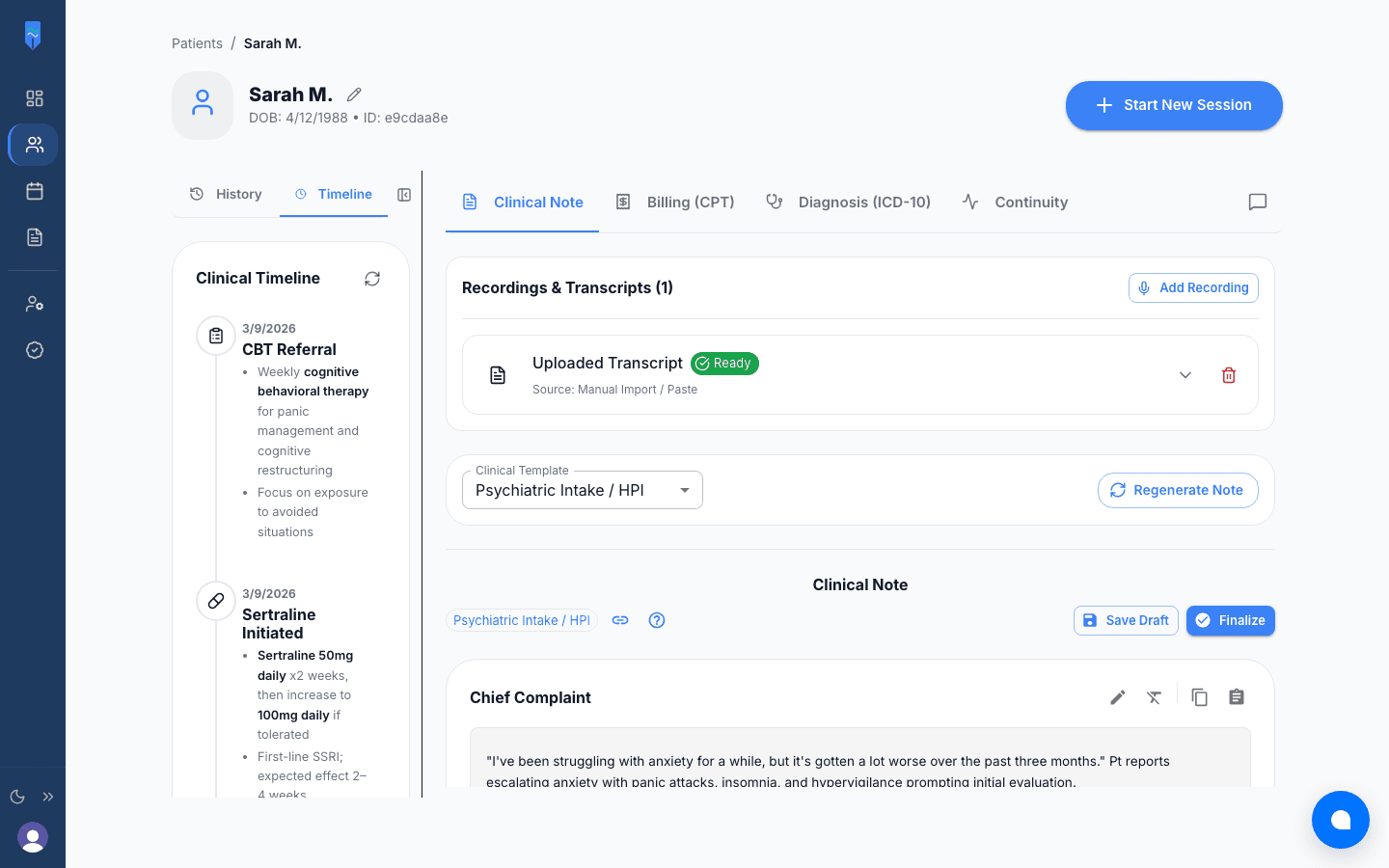
MH Scribe builds a timeline of each patient's medications, orders, and visits from your session notes. Each medication carries a status, such as effective or ineffective, based on what you documented.
Free to start, no credit card • Pro is $49/month
HOW IT WORKS
From session notes to a timeline
Keep writing notes
Every session note you finish adds to the patient’s history. There is nothing separate to enter.
MH Scribe builds the timeline
It pulls medications, orders, and visits out of your notes and puts them in date order.
Review the course of treatment
Scroll through what was tried, what changed, and what helped, without paging back through old notes.
Frequently asked questions
MH Scribe pulls medications, orders, and visits out of your session notes and lays them out in date order. You don’t enter anything by hand.
Yes. Each medication shows when it was started, adjusted, or stopped, with a status such as effective or ineffective based on what your notes say. You can see what has been tried and how it went.
You get a timeline after the first session. It gets more useful as sessions add up and the course of treatment takes shape.
The timeline stays in the patient record in MH Scribe. It is a handy reference when you write a referral or treatment summary, and Documents AI can draft those letters from the same notes.